
Assign shop, product, my account and checkout page
In order to work our design pages you have to assign shop, product, my account and checkout page.
Step 1
On your WordPress Dashboard go to WooCommerce >> Settings >> Advanced

Assign the cart, checkout and my account page here.
If one of the pages do not show up in the dropdown then save click on save and try again.
Step 2
Go to >>Divi >> Theme Builder
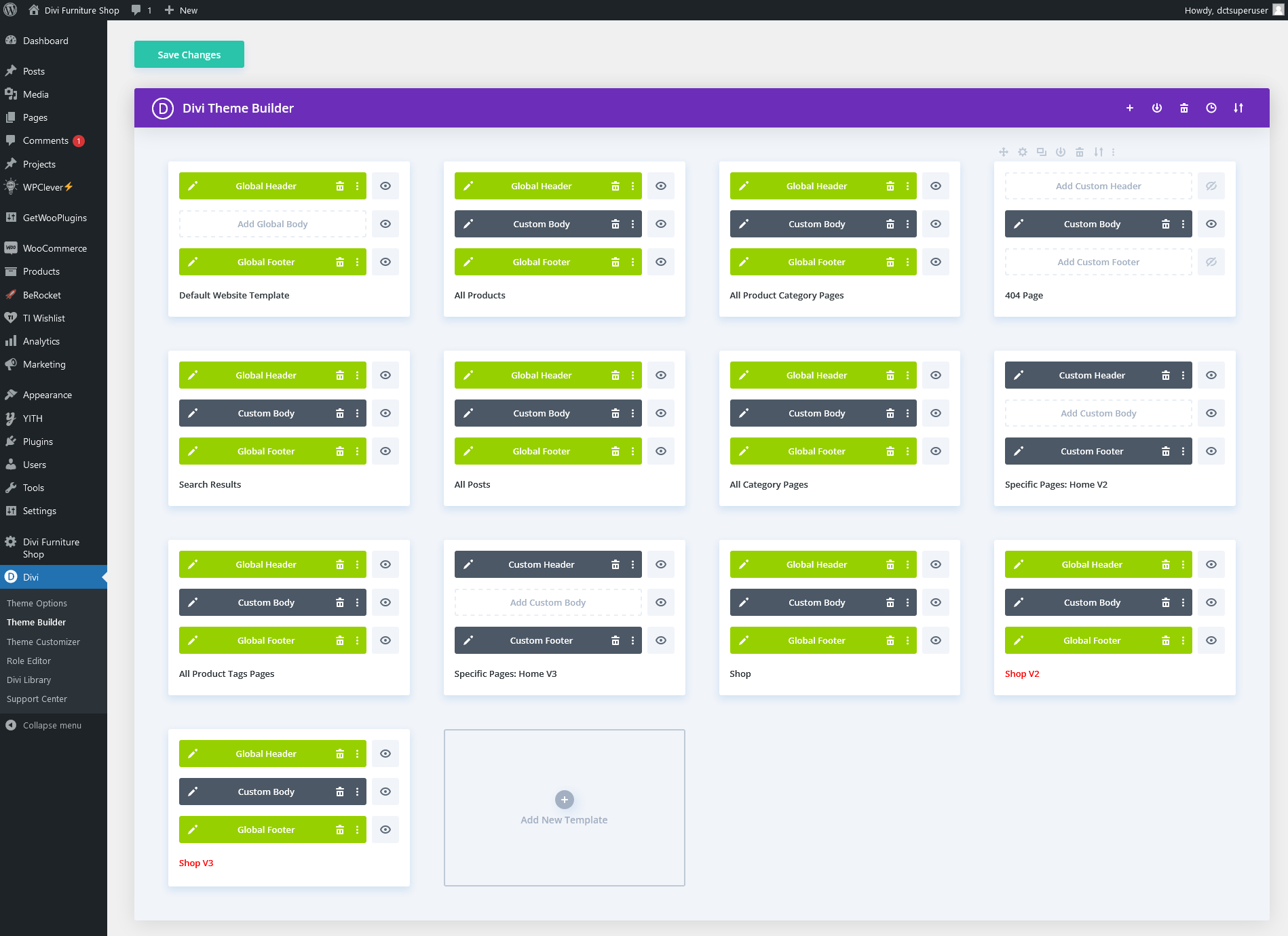
Here you will find all the templates. The ones in red are inactive. Scoll down and choose shop under WooCommerce.
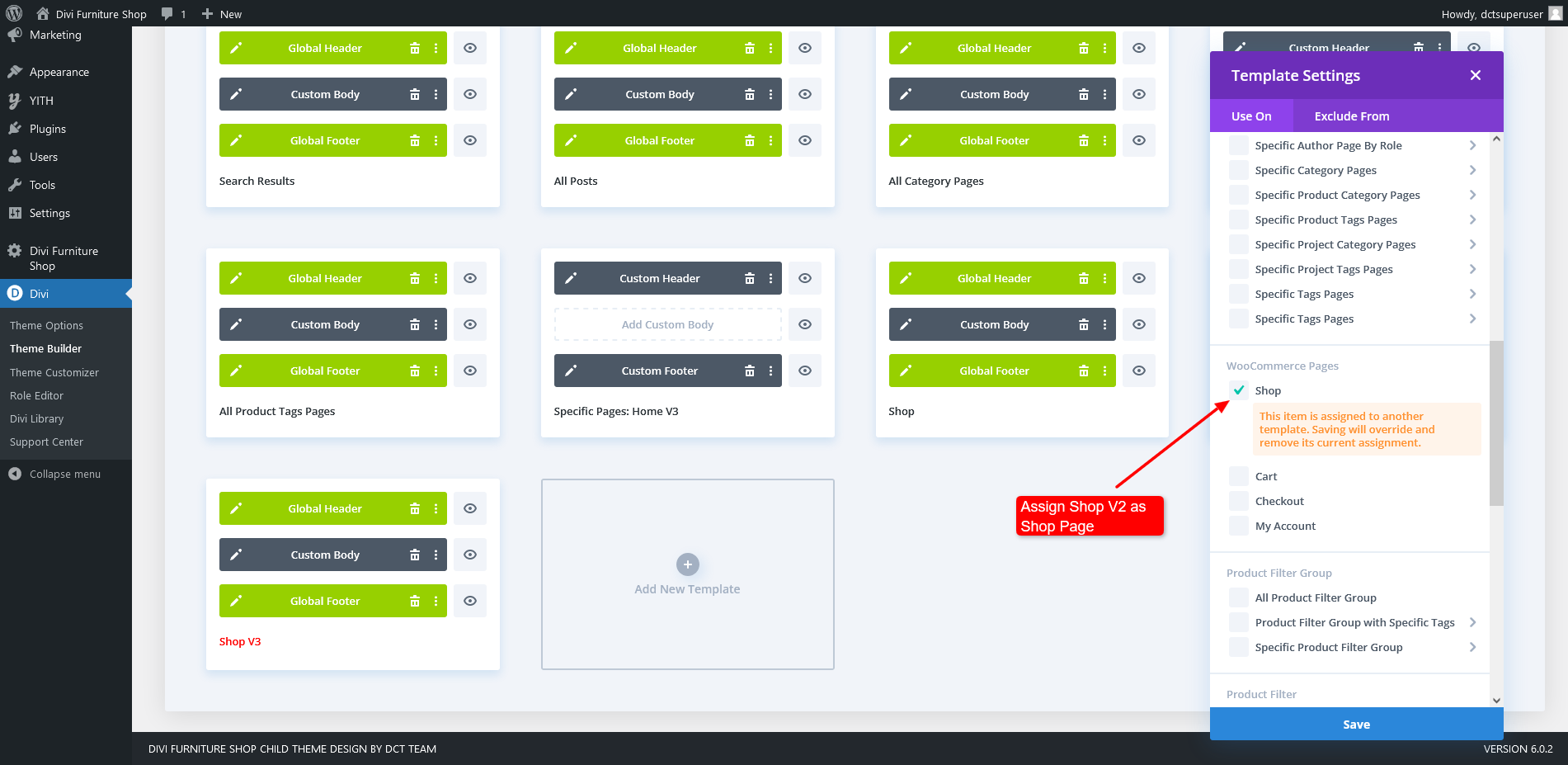
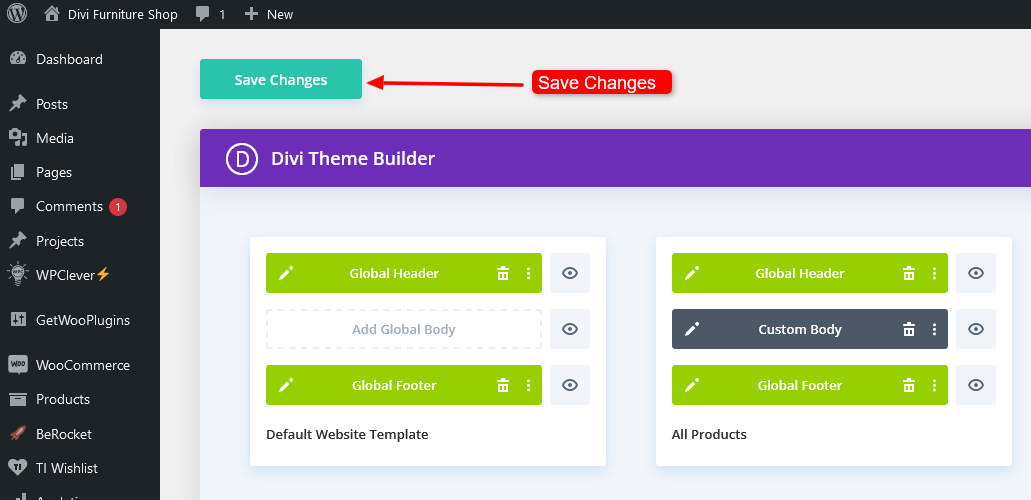
After clicking on Save you need to click on Save Changes too.
Step 3
Make sure the shop, cart, my account and checkout page are assigned. Sometimes it can happen that they are not automaticaly assigned.