

If you do not have a Divi license already, you will either need to:
In order to install the Divi Child theme, you must have Elegant themes Membership and Divi Theme.
Step 1
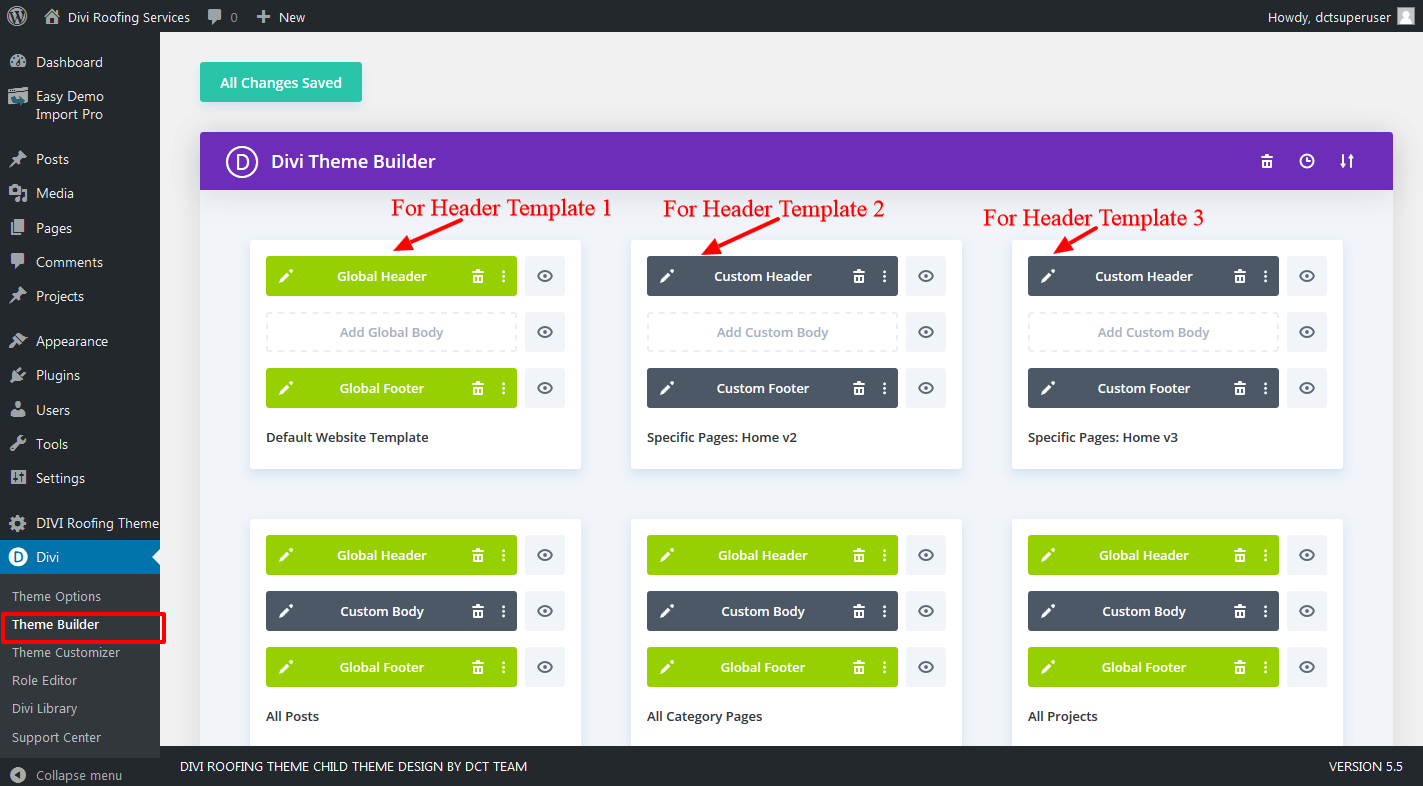
Go to Dashboard > Divi > Theme Builder > Click to Select global Header . Select the DIVI Header Layout Template in order to make edit.
Step 2
Select Global Header Template From Divi Theme builder Library
Step 3
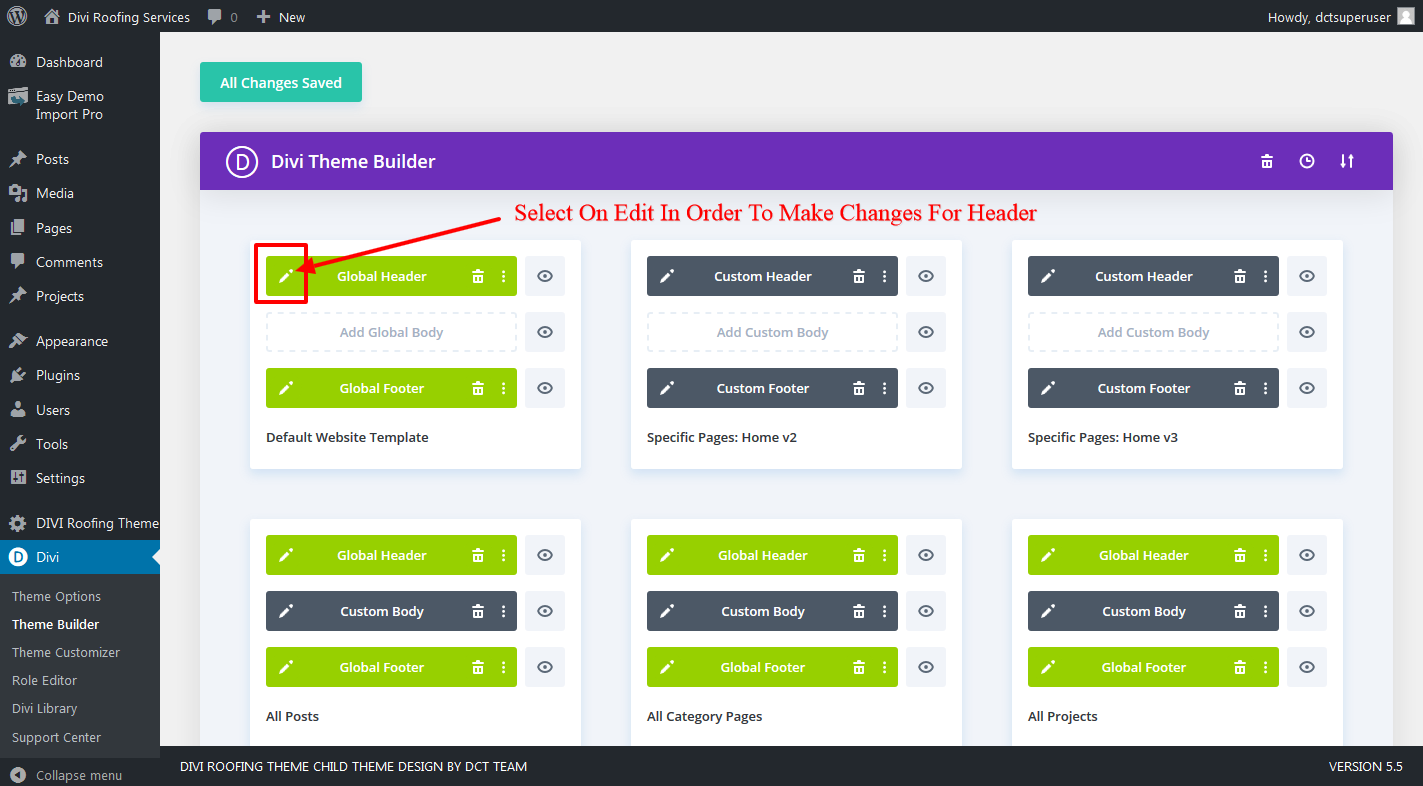
click the “Edit Template Layout” on Settings

Step 4
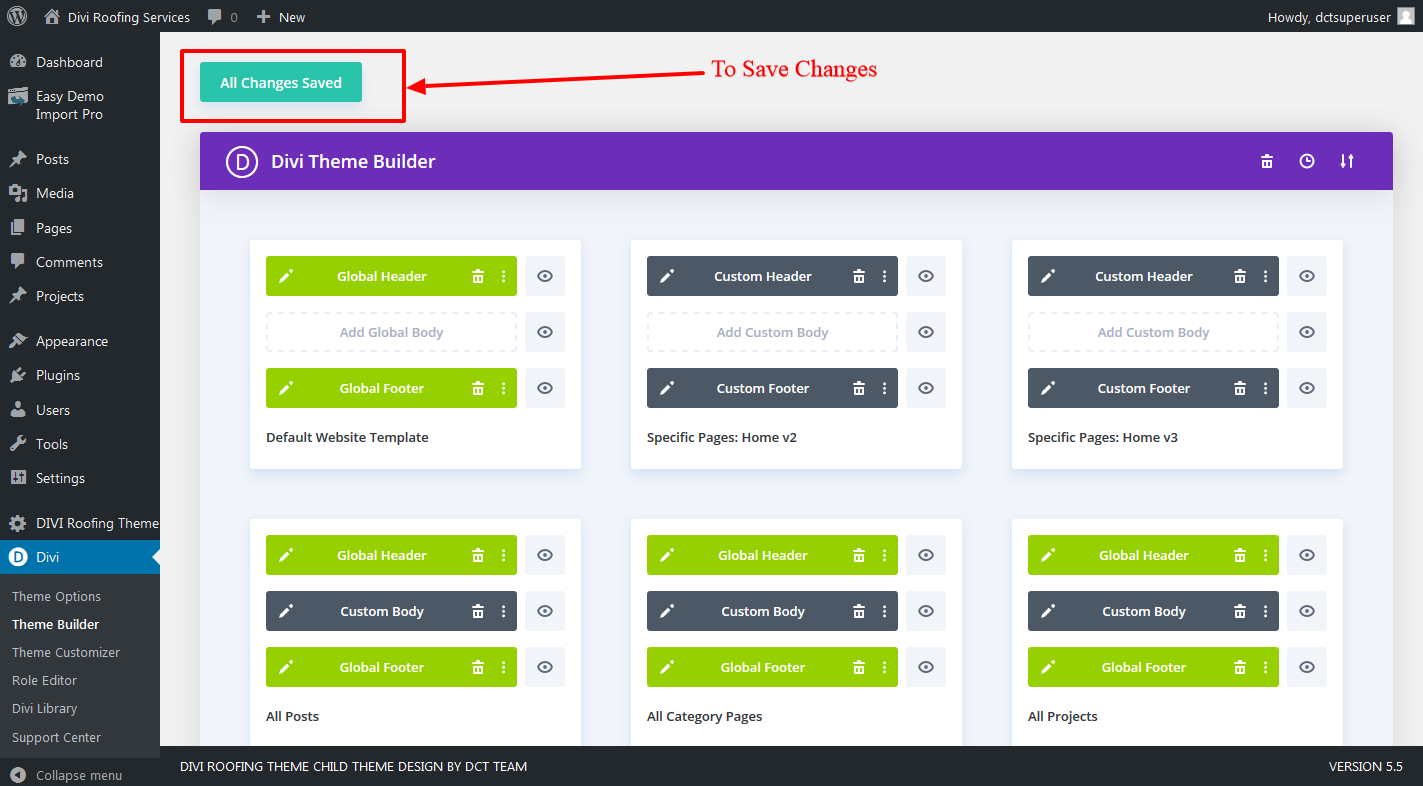
Click Save Changes Button.
Step 5
Go to page view and show your changed Header.
