In this tutorial,We are going to show you Create Progress Bar Module Design
perfect for your web design plans that just may surprise you.Today We are sharing a step by step tutorial Simple and Attractive Creative Divi Progress Bar Design Using Divi Bar Module to anywhere on your Divi website .
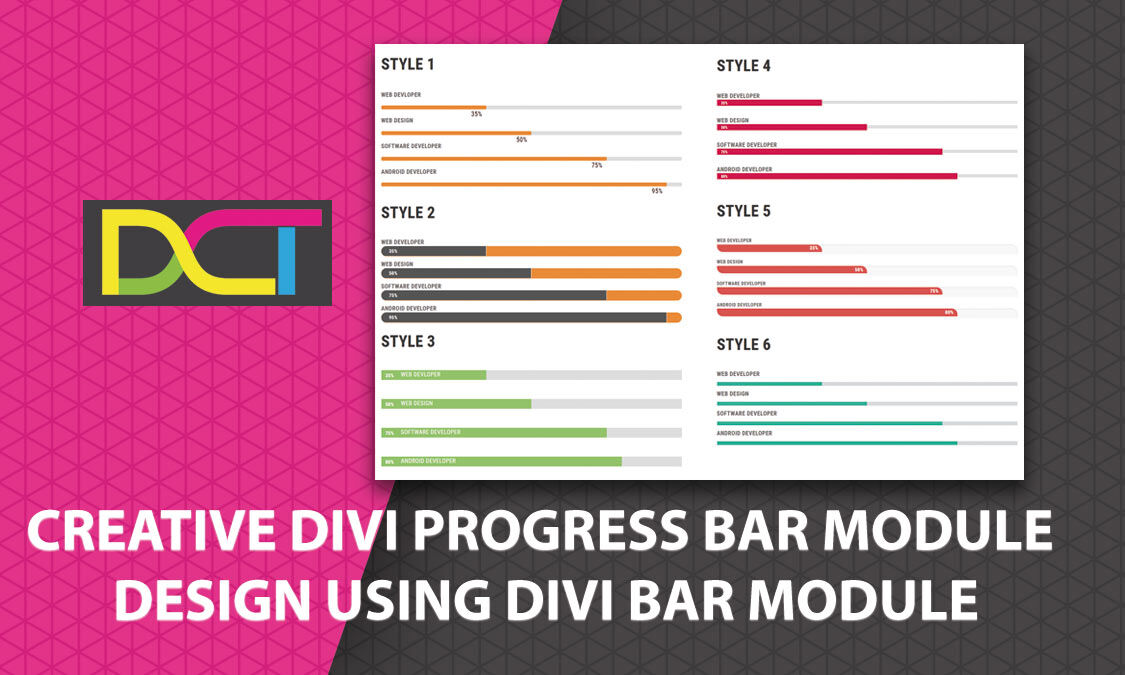
Bar Counters Style 1
- web devloper35%
- Web Design50%
- Software Developer75%
- Android Developer95%
Bar Counters Style 2
- Web Developer35%
- Web Design50%
- Software Developer75%
- Android Developer95%
Bar Counters Style 3
- Web devloper35%
- Web Design50%
- Software Developer75%
- Android Developer80%
Bar Counters Style 4
- Web Developer35%
- Web Design50%
- Software Developer75%
- Android Developer80%
Bar Counters Style 5
- Web Developer35%
- Web Design50%
- Software Developer75%
- Android Developer80%
Bar Counters Style 6
- Web Developer35%
- Web Design50%
- Software Developer75%
- Android Developer80%
The Progress Bar adds beautiful progress bars or progress meter by divi module. FEATURES. Responsive Design Works with any divi Theme. Therefore, in this blog post, we’re going to look at how you can create the Progress Bar . But first, check out the preview of Divi Progress Bar created without any external CSS Or js.The Progress Bar adds beautiful progress bars or progress meter by divi module.
This section can makes a different looking design which can really give your Tab modules a unique view. Download the zip file and see yourself. You need to import it into Divi Library first.
The progress bar to show skills in percentage.Progress Bar is useful for an author for his/her website for showing skills. The Progress Bar adds beautiful progress bars or progress meter by divi module.
Following Steps To Create our the Progress bar Templates
Step 1. Download DCT_Progress_Bar.zip File
Step 2. Unzip Zip Folder

Step 3. After Unzip layout to Imports json files you can see in below steps
1. Using Divi Library Option
Click Here To check INSTALLING Divi Module THROUGH DIVI LIBRARY
If you want to installing Divi Module Through Divi Library Kindly Check this.
2. Using Divi Page Option
Click Here To check INSTALLING THROUGH PAGE OPTION
If you want to installing through page option Kindly Check this.
Step 4 Click on Save Changes
That's It