Latest Divi 5

News & Updates

🎉 We Started Releasing Divi 5 Ready Compatible Themes
Upgrade Your Website With Our Newly Released Divi 5 Ready Theme Collection.

Explore Now !

View Collection

Flip Card Effect

INSTALLING THROUGH DIVI LIBRARY

You must be using the Divi Theme with an active membership
1) Loin into your WordPress admin
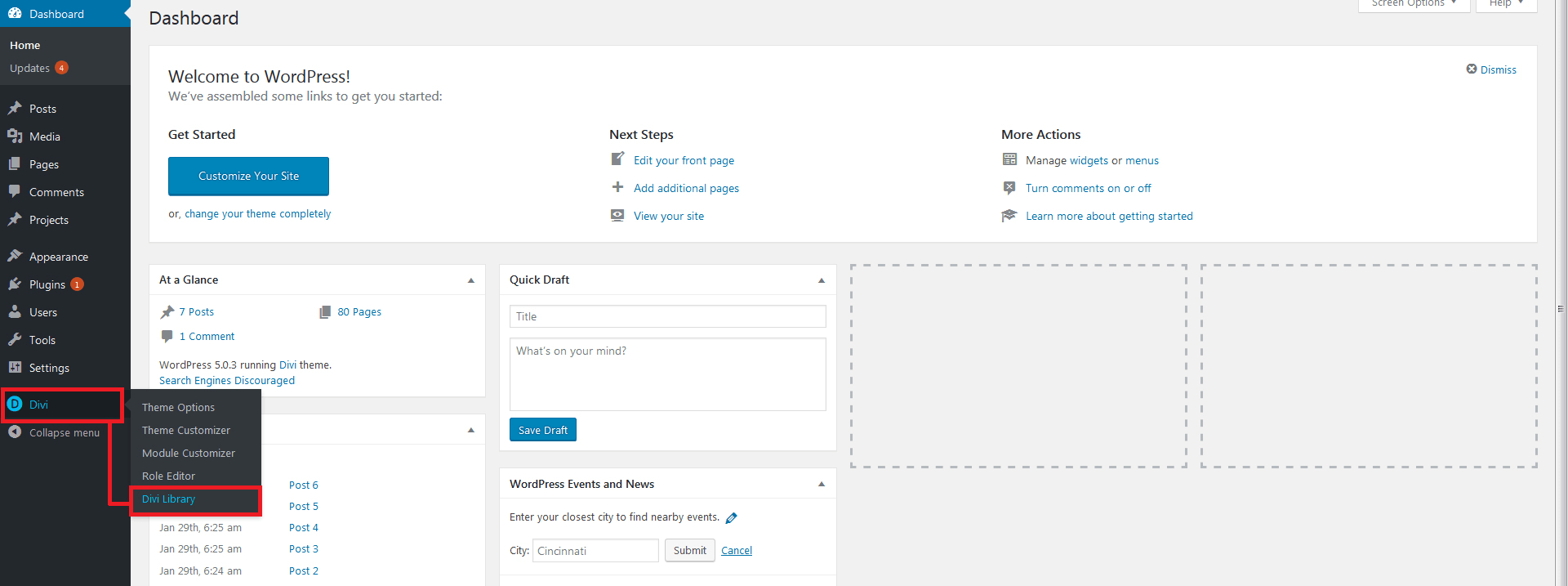
2) Go to > Divi > Divi Library
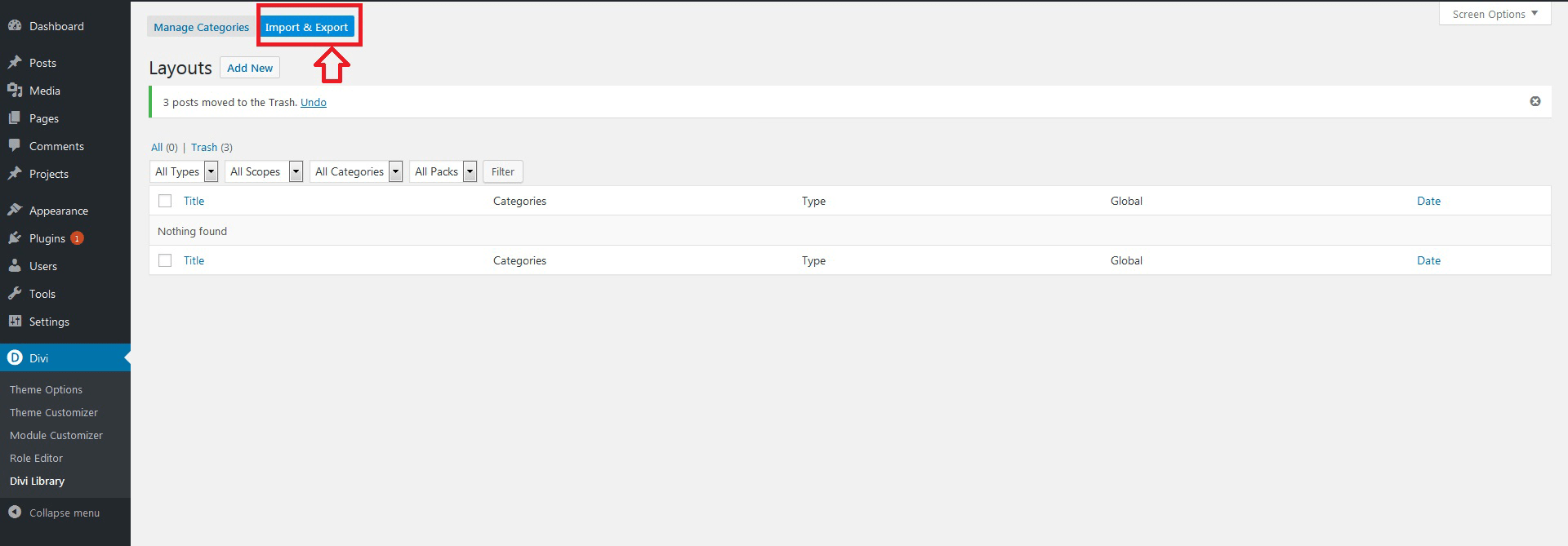
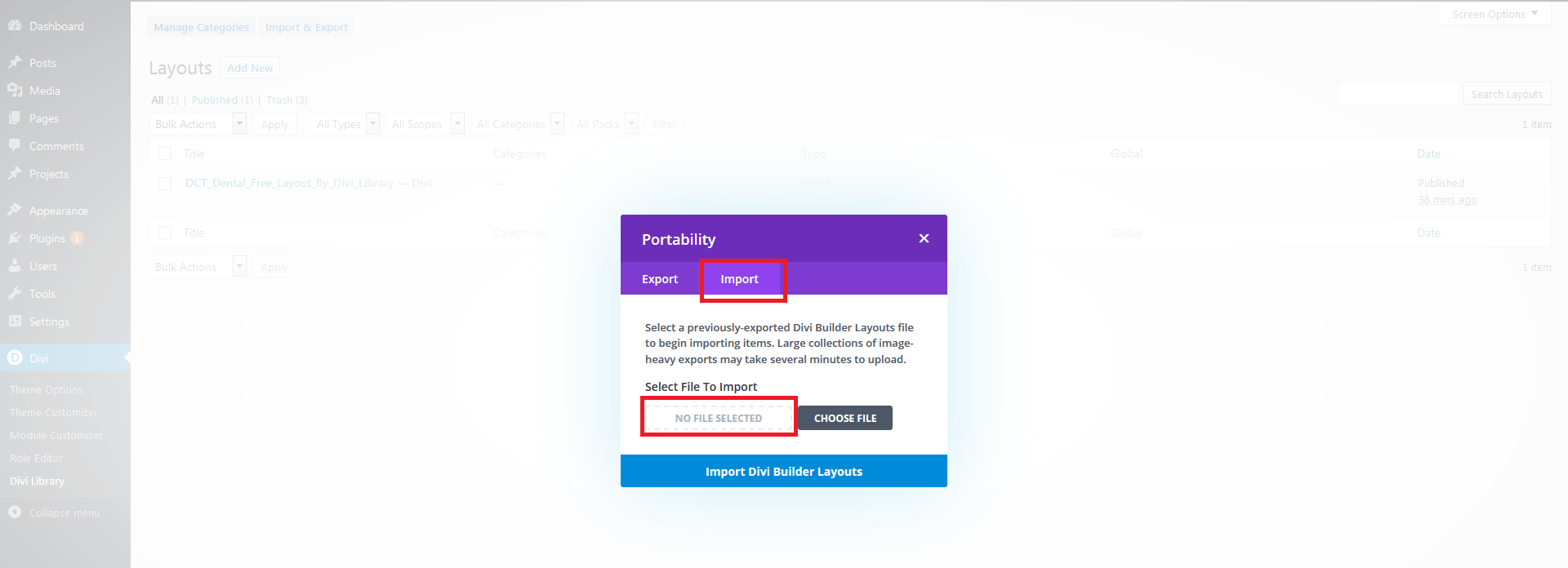
3) Import Json File : Flipcard_Effect_By_Divi_Library.json
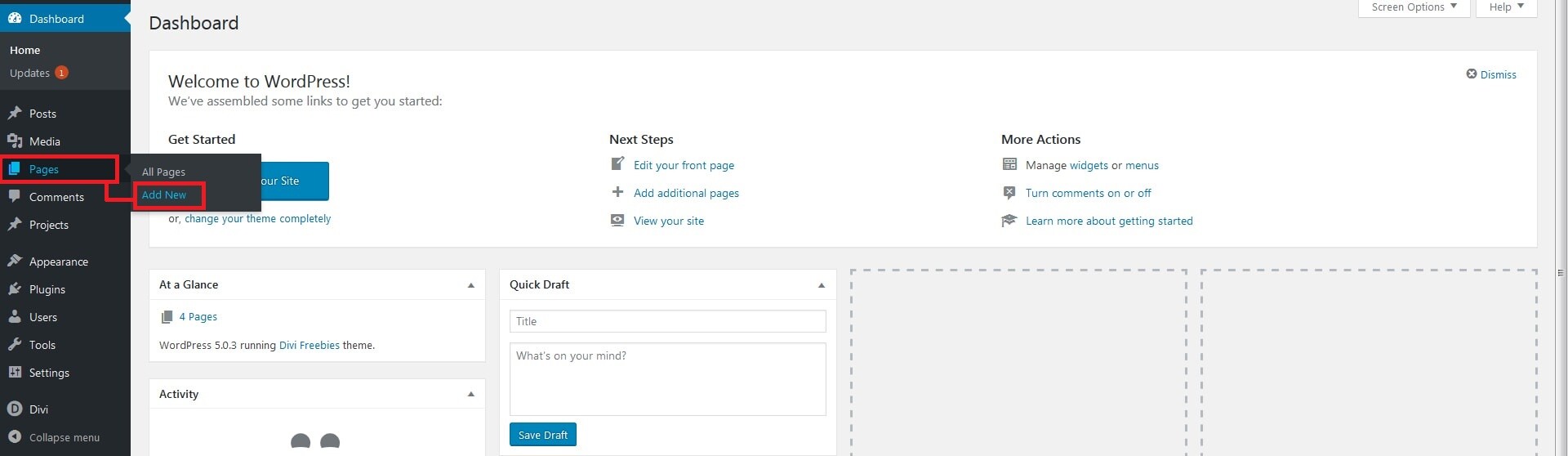
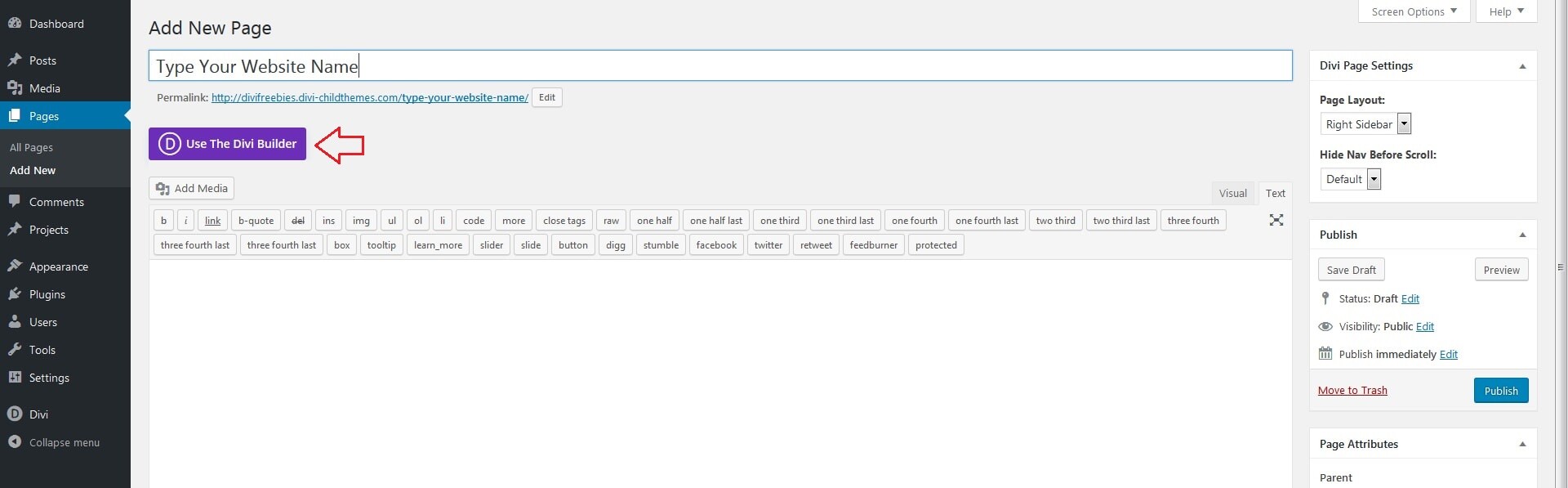
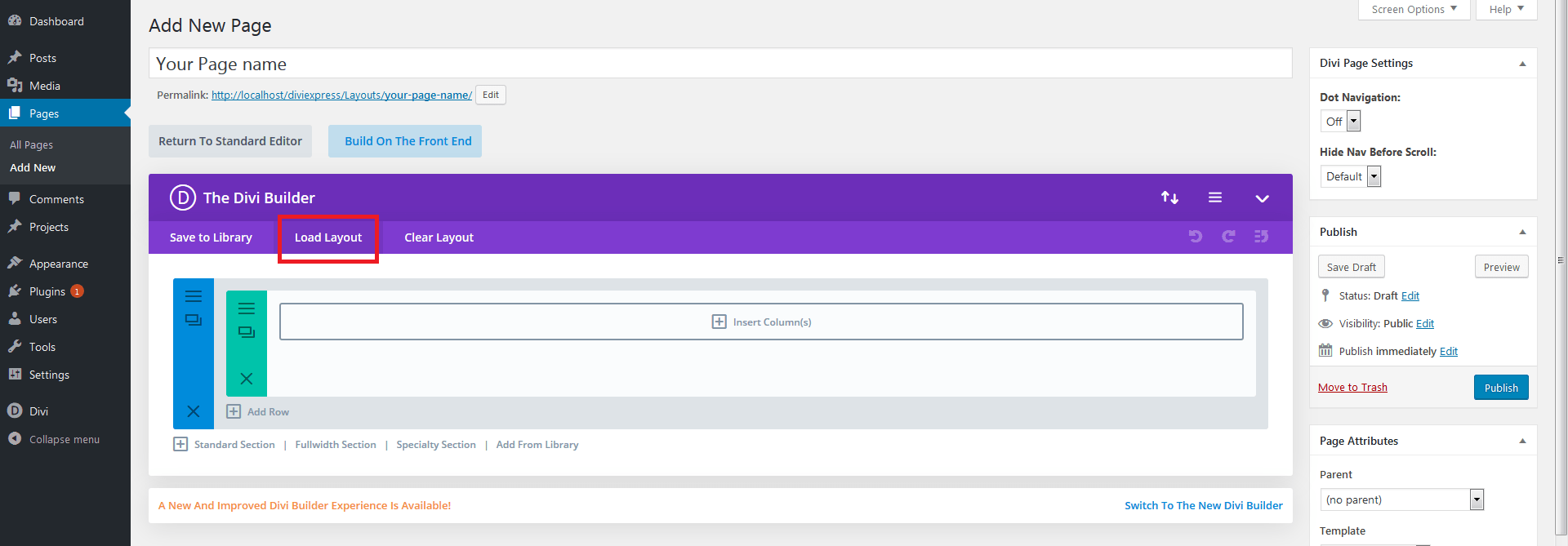
4) Create a new page and load the Divi Builder
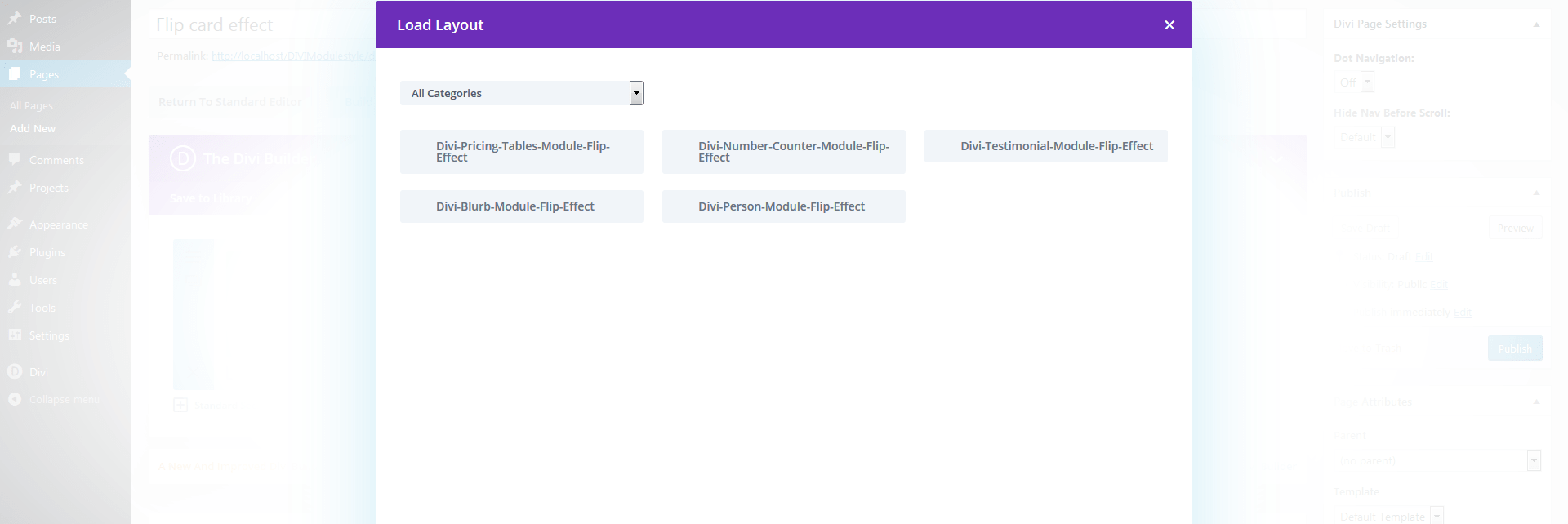
5) Browse Divi Builder > Load Layout > Your Saved Layouts > Find out your Json

Step - 1
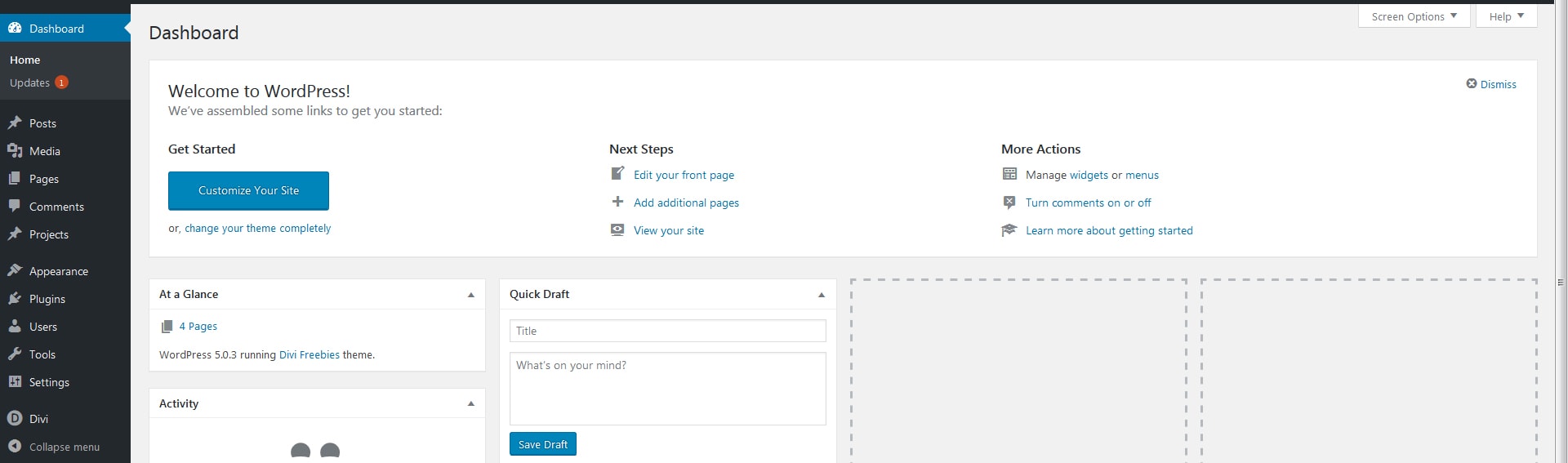
Flip Card Effect Implement Using Divi Library

Step - 2

Flip Card Effect Implement Using Divi Library

Step - 3

Flip Card Effect Implement Using Divi Library

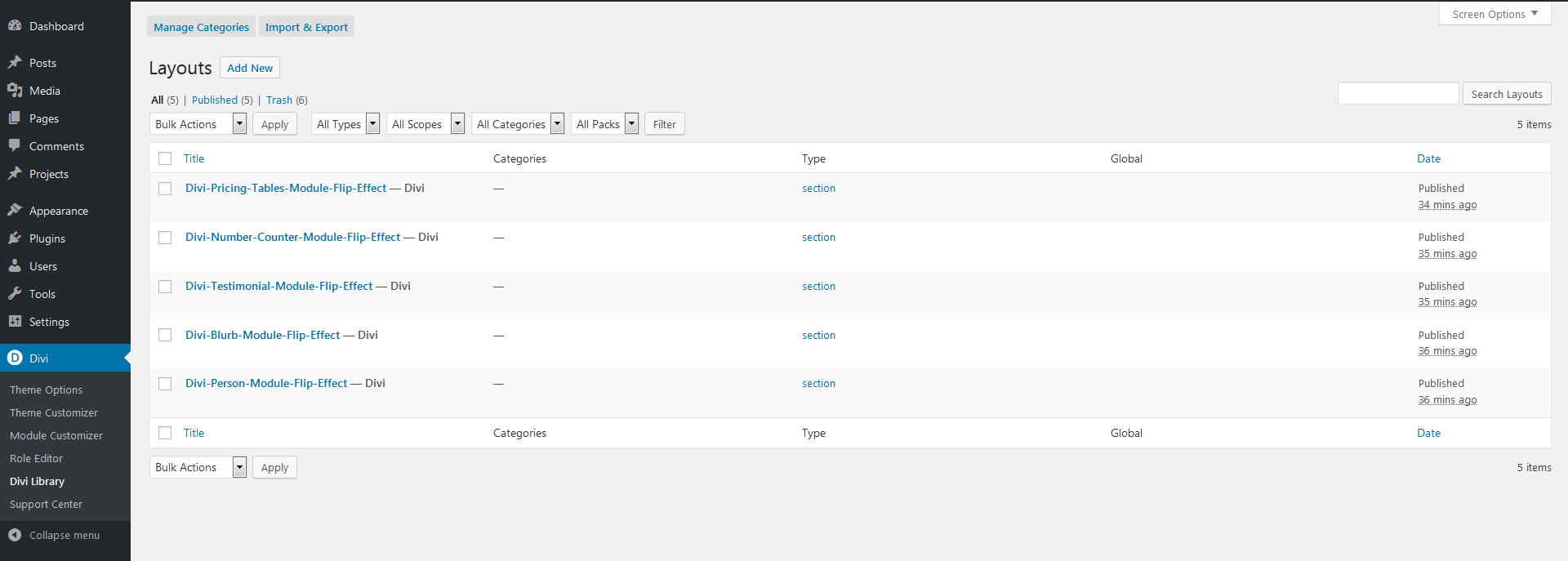
Step - 4

Flip Card Effect Implement Using Divi Library

Step - 5

Flip Card Effect Implement Using Divi Library

Step - 6

Flip Card Effect Implement Using Divi Library

Step - 7

Flip Card Effect Implement Using Divi Library

Step - 8

Flip Card Effect Implement Using Divi Library

Step - 9

Flip Card Effect Implement Using Divi Library

Thank you

Cart
Your cart is empty.

Looks like you haven't made a choice yet.